
Free Android app
The channels that carry the match — in one app
Ostora Online O² gathers more than 15,000 live channels — sport packages among them — alongside a screen listing today's fixtures and kick-off times. One APK runs on phone, tablet and Android TV. No account, no subscription.
v1.1 · Requires Android 7.0 or newer · Direct download, no store
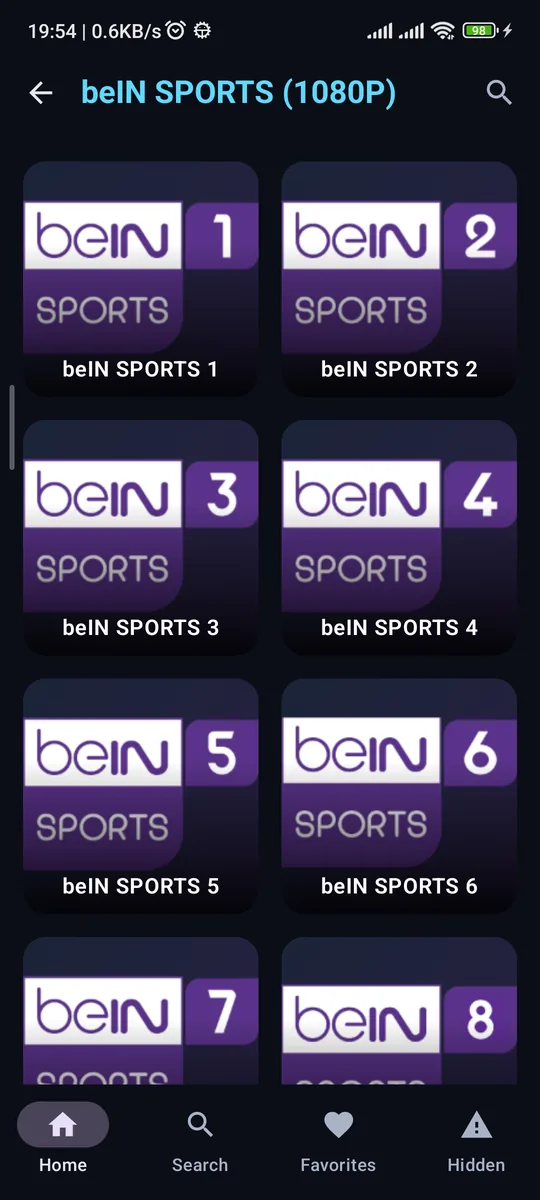
- Live Champions League beIN SPORTS 1
- 19:00 Premier League beIN SPORTS 2
- 21:00 La Liga beIN SPORTS 3
- 22:45 CAF Champions League beIN SPORTS 4
- Finished Serie A beIN SPORTS 5
- Live channels
- 15,000+
- Bundled libraries
- 8
- Download size
- 5.0 MB
- Accounts needed
- 0
From the fixture list to the picture
Three steps to kick-off
-
01
Open Events
A small red pill at the top of the home screen opens today's list: matches in play first, then upcoming ones with their kick-off times, then finished ones with their scores.
-
02
Tap the channel
The broadcasting channel's name is searched across the app's own libraries, so you land on it without walking through categories.
-
03
Play, and switch freely
A channel rocker moves you through the same list while the stream runs — and on a TV, the remote's up and down keys do exactly that.
What's inside
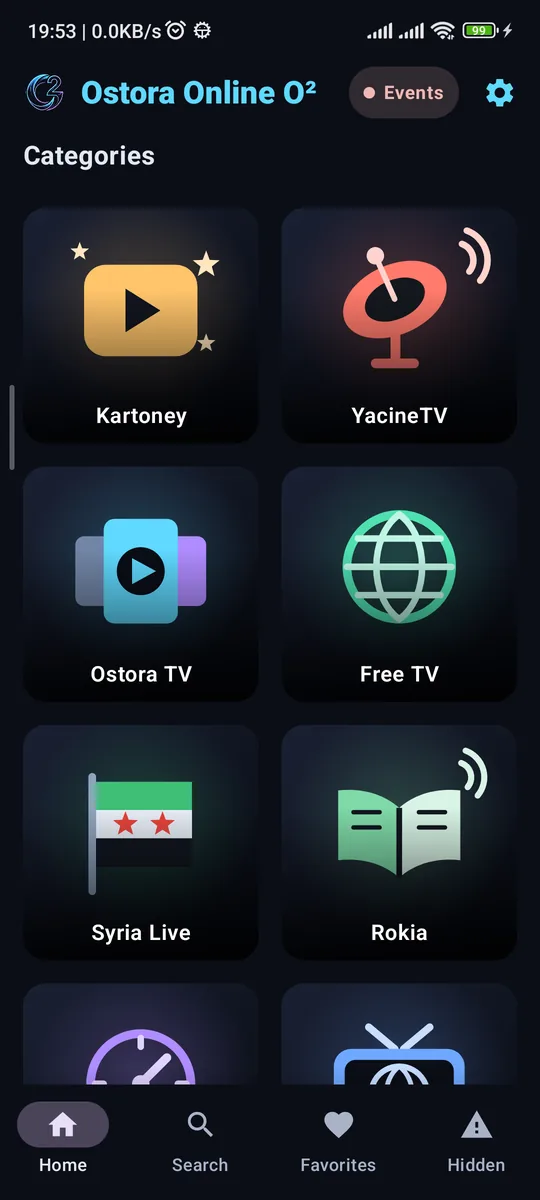
Eight libraries, one file
Sport is only the way in. The libraries are ordered here by what visitors to this page usually come for.
-
317
YacineTV
Live channels in 12 categories — sport, news and entertainment — including the beIN SPORTS package at 1080p.
-
14,359
Free TV
Live channels across 508 country groups, from local sports channels to international news.
-
761
Global TV
International channels with instant in-category filtering.
-
5,142
Ostora TV
Arabic and international series and films, with subtitles where the source provides them.
-
8,611
Kartoney
Cartoon episodes across 107 series. The index ships inside the app, so browsing and search work with no connection.
-
212
Radios
Stations in 17 groups — Islamic, regional and news — that keep playing with the screen off.
-
26
Rokia
Ruqyah recitations with a full seek bar, so you can pick up where you stopped.
-
Syria Live
Syrian live channels in one flat list, with no category level to walk through.
The player
Built for watching, not for interrupting
-
Change channel mid-stream
A rocker on the edge of the screen moves through the list you opened from, with an indicator naming the channel and its position. On a TV: the remote's up and down keys.
-
A floating window that follows you out
Drag the picture down and it becomes a small window that keeps playing while you browse — and carries on in the system's picture-in-picture window when you leave the app.
-
Subtitles read from the stream
A CC button lists the text tracks the source carries and applies the one you pick — no external subtitle files.
-
Picture size and speed
Three picture modes — Fit, Zoom, Fill — because a source with an unusual shape otherwise sits between black bars. Speed runs from 0.5× to 2×.
-
Favourites, and a way to bury the dead
Keep your channels in one list, and report any that stopped working so they disappear from every screen. A home-screen widget opens favourites directly.
-
Arabic search that understands what you typed
Diacritics, hamza forms and taa marbuta are all folded away, and word order does not matter — بين سبورت and "beIN" reach the same result.
One file
Phone, tablet and TV — the same download
There is no separate "TV version" to hunt for. The app recognises the device and changes its interface.
-
Phone
Three columns, an upright player with the picture at the top and the controls below it, in thumb reach.
-
Tablet
Five columns and a side navigation rail in landscape; the bottom bar returns in portrait.
-
Android TV
Full remote-driven browsing with a clear focus ring, an icon in the Leanback launcher, and channel changes on the up and down keys.
Download
Get the file and start
A direct download from this site. No account, and no interstitial pages in between.
Download Ostora Online O²The app's official home is ostora.online — the file here is identical to it.
Installing, in three steps
- Open the file when the download finishes, from the notification or your Downloads folder.
- Allow installation from this source once, when Android asks — the normal prompt for any file from outside the store.
- Install and open. On a TV: download it through a browser or a file-transfer app, then open it with a file manager.
The app refuses to run if it has been modified and re-signed. Download it from here or from the official site only.
Questions
Before you download
Is the app really free?
Yes. No subscription and no fees. It is funded by advertising, and one optional video removes ad breaks for two hours.
Do I need an account?
No. No sign-up, no email, no phone number. Open it and watch. Favourites stay on your device only.
Does it work on Android TV?
Yes, from the same file. The interface detects a TV and switches to remote-driven browsing, and the app appears in the Leanback launcher. Up and down on the remote change channel while watching.
Why is there no desktop version?
There is no PC build. The app is Android only: phone, tablet, Android TV and TV boxes.
Why do some channels stop working?
Stream links come from third-party providers. When a provider goes offline or lets a domain lapse, its channels stop. The app shows the reason instead of a black screen and lets you hide a broken source in one tap.
Is the download safe?
The file is digitally signed, and the app refuses to run if it has been modified and re-signed by someone else. Download it from this page or from ostora.online only.
What Android version do I need?
Android 7.0 or newer. The file is 5.0 MB.
Is it on Google Play?
No. It is a direct APK download, so you allow installation from this source once, the first time.
The next match, on your screen
One file, five megabytes, and it runs on every Android screen you own.
Download APK 5.0 MB